# Custom Handler Schema Reference This guide is for plugin developers who want to add FrontEdit support for a custom Gutenberg block. It documents the public schema contract used by custom handler plugins. Custom handlers are experimental. Build and test them on a staging site before using them on production content. ## Compatibility requirement FrontEdit saves edits by parsing and serializing the native Gutenberg block: ```js wp.blocks.parse( rawBlockContent ); wp.blocks.serialize( blocks ); ``` Before writing a handler for a non-core block, confirm that its provider has already registered the block on the editable frontend page. This registration must include the block's client-side attributes and its matching `save` implementation. ```js wp.blocks.getBlockType( 'your-namespace/your-block' ); ``` The command must return a block definition. If it returns `undefined`, do not add a FrontEdit handler yet. An editor-only provider script is not compatible with FrontEdit and must not be enqueued from a custom handler. Loading an editor-only bundle on the frontend can cause fatal errors, missing browser dependencies, or serialized content that loses provider settings. Core WordPress blocks are registered by FrontEdit. For a custom or third-party block, the block provider is responsible for the compatible frontend registration surface. ## Create a custom handler plugin Copy the `templates/frontedit-live-block-editor-custom-handlers` folder shipped with FrontEdit into `wp-content/plugins`, rename it, and activate it. Its bootstrap registers a PHP handler file through the `mwpsfe_external_handler_files` filter. Handler classes use the `MWPSFE` namespace and extend FrontEdit's public abstract handler classes. Give every PHP class a unique name. A handler ID that matches a built-in ID intentionally replaces that built-in registration. An edit handler normally extends `MWPSFE_Abstract_Text_Edit_Handler` and implements `MWPSFE_Schema_Handler_Interface`. Pair it with a comment handler only when you want the block to support FrontEdit comments. ## Minimal edit handler ```php class My_Plugin_Handler_Notice extends MWPSFE_Abstract_Text_Edit_Handler implements MWPSFE_Schema_Handler_Interface { public function id() { return 'my_plugin_notice'; } public function title() { return 'Edit Notice'; } public function element_type() { return 'Notice'; } public function element_type_code() { return 'my-plugin-notice'; } public function description() { return 'Edit this notice.'; } public function call_to_action() { return 'Click to edit this notice.'; } public function get_supported_blocks() { return array( 'my-plugin/notice' ); } public function get_schema_definition() { return array( 'version' => 1, 'block' => array( 'name' => 'my-plugin/notice', 'type' => 'text', ), 'components' => array( array( 'id' => 'content', 'label' => 'Content', 'type' => 'text', 'selector' => '.my-plugin-notice__content', 'default' => true, 'required' => true, 'placeholder' => 'Add content', 'bindings' => array( array( 'path' => 'content', 'source' => 'html' ), ), 'editor' => array( 'enterMode' => 'never', 'formats' => array( array( 'undo', 'redo' ), array( 'bold', 'italic' ) ), 'operations' => $this->normalize_editor_operations( array( $this->get_editor_text_rewrite_operation( 'content' ), $this->get_editor_inline_format_change_operation( 'content', array( 'bold', 'italic' ) ), ) ), ), ), ), ); } } ``` ## Schema shape Every schema has these required keys: ```php array( 'version' => 1, 'block' => array( 'name' => 'namespace/block', 'type' => 'text' ), 'components' => array(), ) ``` `block.type` is `text` or `media`. A schema may contain both text and file components when a block supports both kinds of editing. ### Optional pristine-default identity declaration Only use this declaration when a block is Gutenberg's native default writing surface and you know its exact untouched serialization: ```php 'identity' => array( 'pristineDefaultInnerHTML' => '

', ), ``` It tells FrontEdit to defer the *first* UUID assignment only while the block has no UUID or shadow UUID, no other block attributes or inner blocks, and its trimmed parsed `innerHTML` exactly matches the declared markup. This is not a general empty-content setting. Once an element has an identifier, FrontEdit will retain it—even if its content is later emptied—so existing history remains attached to that element. ### Components A component describes one editable part of the rendered block. | Key | Required | Description | | --- | --- | --- | | `id` | Yes | Unique component ID within the schema. | | `label` | Yes | Editor-facing label. | | `type` | Yes | `text` or `file`. | | `selector` | Yes | CSS selector relative to the rendered block root. Use `:scope` for the root. | | `default` | No | Selects the component opened by default. | | `required` | No | Blocks saving an empty text component. | | `placeholder` | No | Editor-only placeholder text. | | `bindings` | Text components | Maps the edited DOM value to block attributes. | | `editor` | No | Toolbar, operations, and keyboard behavior. | | `missingUI` | No | Describes an optional text node that may be absent from saved markup. | Text bindings use an attribute `path` and `source`. Use `source: 'html'` for rich text markup and `source: 'text'` for plain text. Attribute paths can be nested, for example `style.typography.textAlign`. ### Optional text components Use `missingUI` when a provider omits an optional text node until it has content. ```php 'missingUI' => array( 'mode' => 'ghost', 'mountSelector' => ':scope', 'placement' => 'append', // append or prepend 'tag' => 'p', 'attributes' => array( 'class' => 'my-plugin-notice__description' ), 'when' => array( 'path' => 'showDescription', 'equals' => true ), 'placementWhen' => array( 'path' => 'descriptionPosition', 'equals' => 'above', 'placement' => 'prepend', ), ), ``` `when` controls whether the ghost appears. `placementWhen` optionally changes its placement when an attribute matches. Both conditions use a scalar `equals` value. ### File components Use `type: 'file'` for a media replacement surface. In addition to the standard component keys, it requires a `target` object: ```php 'target' => array( 'selector' => ':self', // or a selector relative to the component root 'attribute' => 'src', 'mediaType' => 'image', ), ``` `mediaType` is one of `image`, `audio`, `video`, `file`, `image_or_video`, or `icon`. The target attribute is normally `src` or `href`. File and text components may be combined in one schema; FrontEdit switches at component scope but still serializes the complete block. ### Repeated components Use `repeat` for a component that occurs in a table, list, or another repeated structure. Grid mode declares `rowSelector` and `cellSelector`; FrontEdit then resolves `{row}` and `{column}` placeholders in binding paths. ```php 'repeat' => array( 'rowSelector' => 'tbody tr', 'cellSelector' => 'td', ), ``` Nested tree mode uses `mode: 'tree_path'`, `itemSelector`, and an optional `pathKey` (default `path`). Use it for one block that owns nested repeated text surfaces, such as a list. ### Binding sources Bindings require `path` and `source`. A path uses dot notation and may include repeat placeholders. Supported sources are: - `html` - rich inner HTML, including supported inline formatting. - `plaintext` - trimmed text without markup. - `textAlignment` - the active text alignment value. - `url` and `id` - media URL or attachment ID. - `media_type` - derives `image` or `video` from a pending media change. - `list_block` - rebuilds a complete nested list block from the live DOM. Media `url` bindings may set `resolved: true` to use WordPress-resolved attachment data. Set `value` to `width` or `height` when that resolved field is needed instead of the URL. ### Editor formats and operations `editor.formats` controls the toolbar. Supported tokens include `undo`, `redo`, `align`, `textAlignment`, `headingLevels`, `bold`, `italic`, `strikethrough`, `link`, `buttonLink`, `orderedList`, `unorderedList`, `indent`, and `outdent`. Nest tokens in an array to group them. `enterMode` may be `auto`, `always`, `never`, or `linebreak`. `linkUIMode: 'manual'` suppresses automatic link UI while a user edits an existing anchor; omit it for the default `auto` behavior. `tabMode` can use `none`, `indent`, `outdent`, `nextComponent`, or `previousComponent` for its `tab` and `shiftTab` values. `editor.options.preserveNewlines` converts `
` elements to literal newlines before saving. `newlinesToBR` does the opposite. Use only when the native block uses that representation. Use the protected helper methods on the abstract edit handler to declare the matching operations. Common helpers are: - `get_editor_text_rewrite_operation( $component_id )` - `get_editor_inline_format_change_operation( $component_id, $formats )` - `get_editor_inline_attribute_change_operation( $component_id, 'link', $capabilities )` - `get_editor_block_attribute_change_operation( $operation_id, $component_id, $capability )` Pass the completed array through `normalize_editor_operations()`. ### Attribute capabilities Declare block attributes used by toolbar operations under `editor.attributeCapabilities`. ```php 'headingLevels' => array( 'attribute' => 'level', 'values' => array( 1, 2, 3, 4, 5, 6 ), 'unsetValue' => 2, ), 'textAlignment' => array( 'attribute' => 'style.typography.textAlign', 'values' => array( 'left', 'center', 'right', 'justify' ), 'unsetValue' => 'left', ), ``` `headingLevels` is the canonical token for a heading-level or element-tag menu. For blocks whose values are tags, use values such as `h1`, `p`, and `div`, plus `tagChange: true`. The corresponding block-attribute operation will update both the declared attribute and the editable element tag. For a text-alignment capability, `preview: 'inline_style'` applies the preview through `style.textAlign` on the resolved format target. Use it only when the block's native frontend styling does not use WordPress `has-text-align-*` classes. `editor.formatTargets` can direct a toolbar operation to a selector or an object with `scope` (`component`, `block`, or `column`), `selector`, and an optional column `contextKey`. For example, use `array( 'align' => 'block' )` when block alignment belongs on the wrapper rather than the editable text node. ### Inline formatting For standard text formatting, obtain the supported format declarations with: ```php $inline_format_capabilities = $this->get_inline_format_capabilities( array( 'bold', 'italic', 'strikethrough', 'link' ) ); ``` Attach that value to `editor.inlineFormatCapabilities` and create matching inline-format and link operations. ## Validation checklist Before publishing a handler, verify all of the following on the frontend: 1. `wp.blocks.getBlockType( blockName )` returns the provider block definition. 2. Parsing then serializing an unchanged saved block preserves the block and its unrelated attributes. 3. Each text, media, attribute, and inline-format operation saves correctly. 4. Optional components materialize only under their declared conditions. 5. A provider update has not changed the saved markup, attributes, or `save` behavior your handler relies on. If any compatibility check fails, disable or defer the handler rather than editing rendered HTML directly. FrontEdit custom handlers always use Gutenberg's native block serialization path. Island of Legends – Heritage & Villages – Aliancy Travels
6Nights | 7Days

Island of Legends - Heritage & Villages

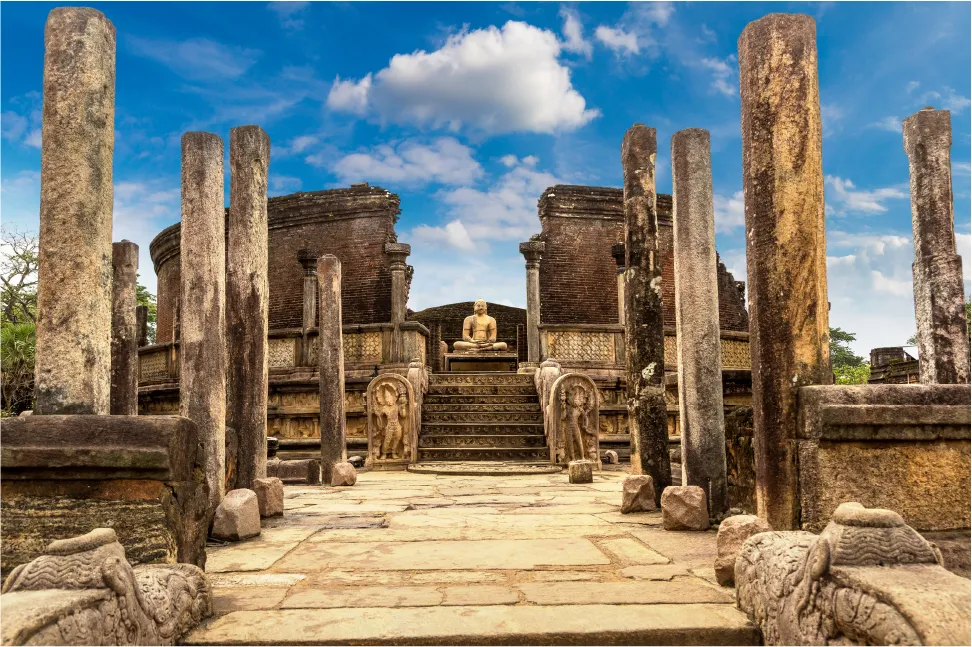
Step into Sri Lanka’s living heritage and uncover stories carved in stone and passed down through generations. Explore ancient cities, marvel at sacred temples and walk among ruins that speak of lost kingdoms. Stay in villages where traditions thrive and join families in cooking, farming and handicrafts. Witness cultural performances and spiritual rituals that bring the island’s history to life. This journey is perfect for travelers who want to connect deeply with Sri Lanka’s people and traditions.

Inquire Now

Route

Negombo – Sigiriya – Polonnaruwa – Dambulla – Kandy – Habarana – Colombo

 Highlights

  • Climb the ancient Sigiriya Rock Fortress
  • Cycle among the ruins of Polonnaruwa 
  • Visit the Dambulla Cave Temple with its painted murals 
  • Watch a cultural dance performance in Kandy 
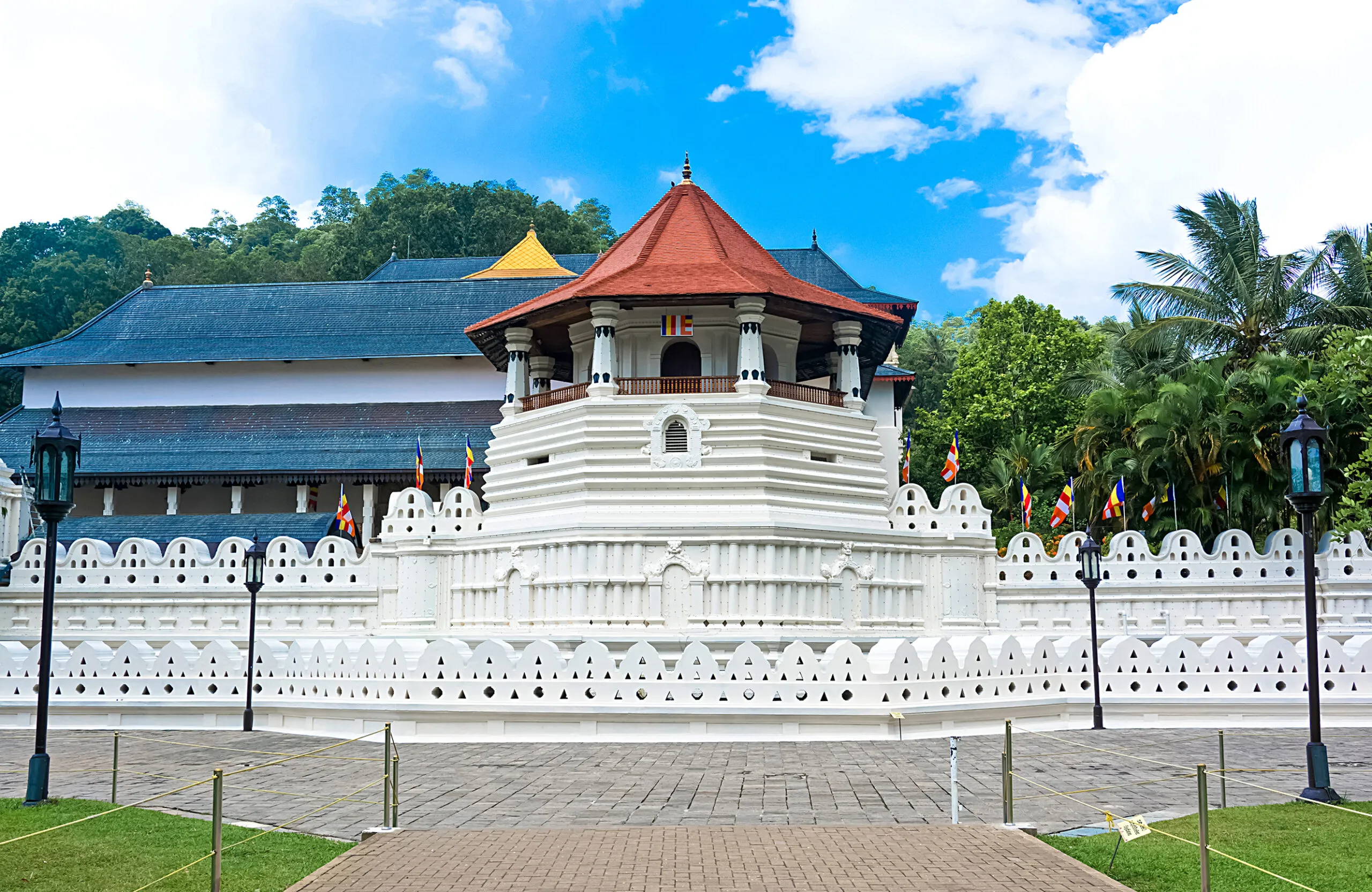
  • Explore the Temple of the Tooth, Sri Lanka’s most sacred shrine 
  • Learn about spices at a traditional garden 
  • Join a village cooking workshop and homestay experience

 Itinerary

Day 1 Negombo

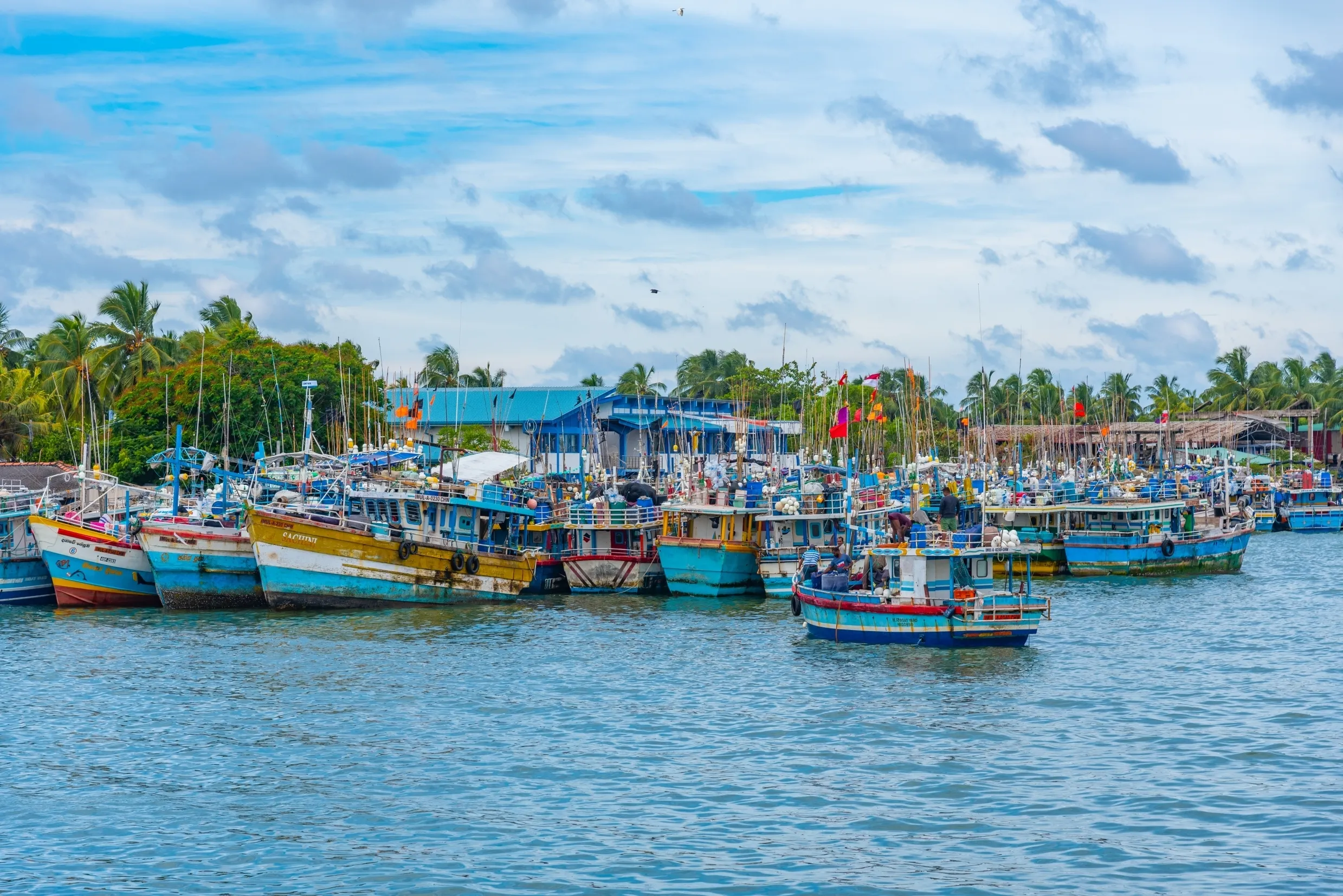
Arrive in Sri Lanka and transfer to Negombo. Check in to your hotel and relax after the flight. Take a walk along the sandy beach or explore the town. Overnight stay in Negombo.

Travel to Sigiriya and climb the famous rock fortress. Explore its frescoes and gardens. Learn about the ancient capital and its legends. Stay overnight in an eco-lodge surrounded by nature.

Visit the medieval ruins of Polonnaruwa by bicycle. See the remains of temples and royal palaces. Stop for a traditional village-style lunch. Return to your lodge in the evening.

Visit the Dambulla Cave Temple with its Buddha statues and paintings. Continue your journey to Kandy in the hills. In the evening watch a cultural dance show. Stay overnight in Kandy.

Begin the day with a visit to the Temple of the Tooth. Stroll through a spice garden to learn about local plants and their uses. Walk around Kandy Lake or the bustling market. Stay overnight in the cultural capital.

Travel to Habarana and spend time in a village community. Join a hands-on cooking workshop and enjoy traditional hospitality. Experience daily life with farming or craft activities. Overnight in a village homestay.

Return to Colombo by road. Stop for some shopping or sightseeing along the way. Relax before your onward departure. Transfer to the airport.

Get a Quote

Our local experts are available 24/7 to assist you whenever you need

Explore More

Round Tour Packages

Wild Sri Lanka Safari & Highlands

8Nights | 9Days

Wild Sri Lanka Safari & Highlands

8Nights | 9Days

Set out on a journey that combines the untamed wilds of Sri Lanka with its mist-covered highlands.

Tropical Rainforest & Wildlife Adventure

8Nights | 9Days

Tropical Rainforest & Wildlife Adventure

8Nights | 9Days

Experience Sri Lanka’s rich biodiversity as you explore rainforests, waterfalls and national parks. Trek through UNESCO-protected Sinharaja, discover vibrant birdlife and capture unforgettable wildlife encounters.

High Country & Tea Adventure

7Nights | 8Days

High Country & Tea Adventure

7Nights | 8Days

Discover the charm of Sri Lanka’s hill country with its sweeping tea plantations, mountain treks and cool highland towns. Walk through misty trails, cycle along quiet country paths and explore historic villages.

Heart of Sri Lanka -
Cultural Immersion

6Nights | 7Days

Heart of Sri Lanka -
Cultural Immersion

6Nights | 7Days

Step into Sri Lanka’s rich past and uncover the stories of ancient kingdoms, sacred temples and timeless traditions.

Island of Legends -
Heritage & Villages

6Nights | 7Days

Island of Legends -
Heritage & Villages

6Nights | 7Days

Step into Sri Lanka’s living heritage and uncover stories carved in stone and passed down through generations.. 

Royal Cities & Sacred Sites

8Nights | 9Days

Royal Cities & Sacred Sites

8Nights | 9Days

Step back in time on a journey through Sri Lanka’s ancient capitals and sacred temples. Walk among the ruins of Anuradhapura…

Serenity & Spa Escape

7Nights | 8Days

Serenity & Spa Escape

7Nights | 8Days

Rejuvenate your mind, body and spirit on a serene journey through Sri Lanka’s top wellness destinations.

Eco & Culture Explorer

7Nights | 8Days

Eco & Culture Explorer

7Nights | 8Days

Experience Sri Lanka through a unique combination of culture, wellness and sustainability. Explore ancient…

Island Fun Family Getaway

4Nights | 5Days

Island Fun Family Getaway

4Nights | 5Days

Enjoy a fun-filled coastal adventure with activities for all ages. Relax on golden beaches, explore historic…

Coastal Bliss & Whale Watching

5Nights | 6Days

Coastal Bliss & Whale Watching

5Nights | 6Days

Relax along Sri Lanka’s southern coastline while enjoying whale watching, beach leisure and charming seaside towns.

Romantic Coastal Escape

5Nights | 6Days

Romantic Coastal Escape

5Nights | 6Days

Celebrate love and serenity on Sri Lanka’s enchanting southern coast. This journey blends intimate seaside moments…

What Our Travelers Say

Discover why travelers from around the world choose Aliancy Travels for their Sri Lankan adventures